 Embadon
Measure PDF plans to scale
Mark one length you know and type it the way you write it. Then measure distances, angles and areas anywhere on the sheet.
900millimetres
1,5 myour decimal comma
5' 3 1/2"feet, inches, fractions
Embadon measures PDF plans and DXF drawings to scale and checks DXF cut files for the mistakes that waste material. On your Android phone or iPhone, on the shop floor, offline, in seconds.
Coming soonGoogle Play & the App Store (iPhone)
A live, in-browser demo of the real sample file: same geometry, same findings as the app.
Screens from the Android app, using the built-in sample files, which you can also download below.
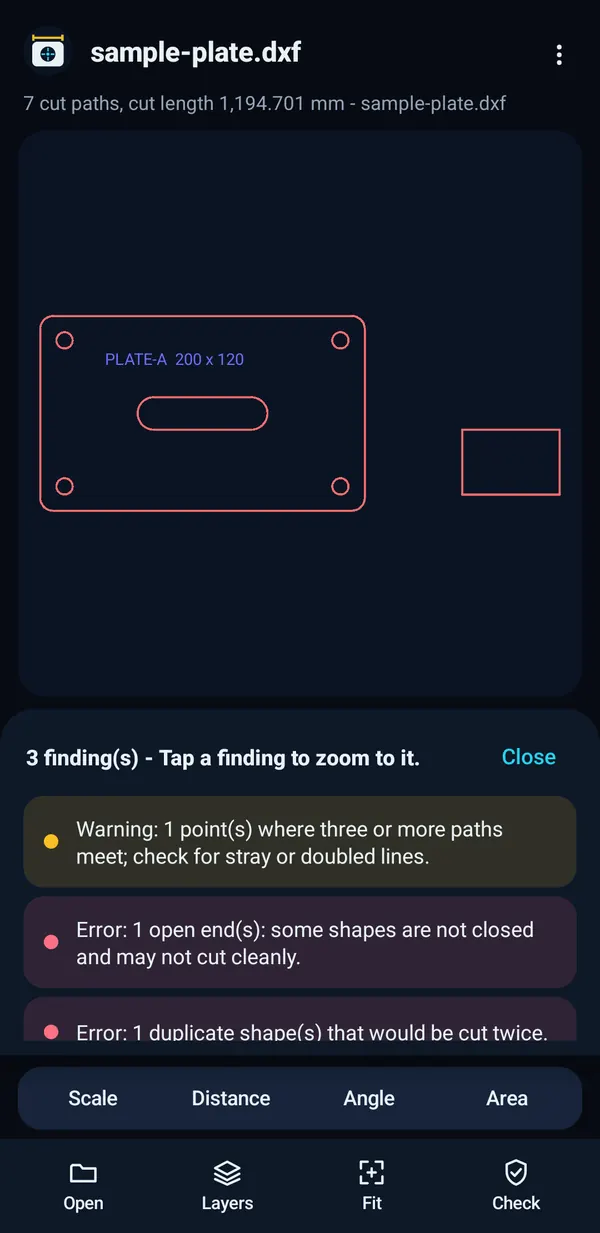
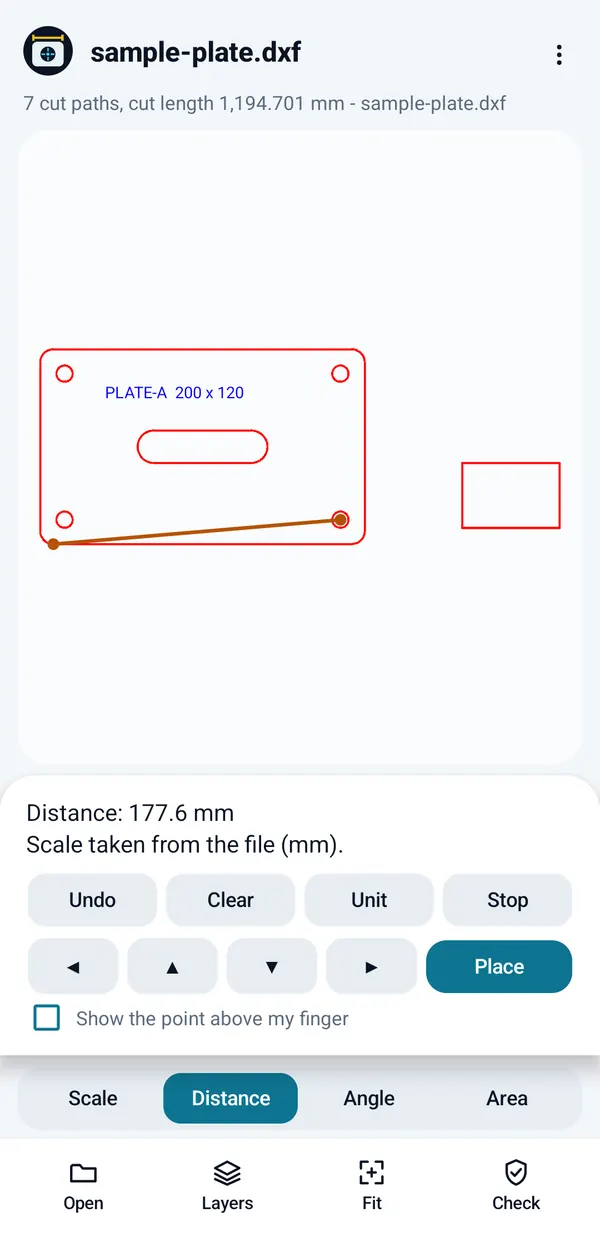
Customers send PDFs and DXFs. Embadon lets you size up the job, check the file and answer questions without walking back to the CAD workstation.
Mark one length you know and type it the way you write it. Then measure distances, angles and areas anywhere on the sheet.
The check runs in a second. Tap any finding and Embadon zooms straight to it. It also tells you what it could not look at.
End points, midpoints, centres and quadrants in DXF drawings, and the lines of a PDF. The real number, not a thumb-guess.
Lines, arcs, circles, polylines, text, blocks, ellipses and splines, with layers and true colour. ASCII DXF R12 to R2018.
Lines, boxes and notes on a PDF, exported as a flattened copy. Your original is never changed.
Shown as in your CAD program. The check looks at visible layers only, so hide what will not be cut.
One tap sends the file name, summary and every finding as plain text through your phone's share sheet.
Shows the overall size of the part and warns when it looks like the wrong units, such as an inch part saved as millimetres.
German, Spanish, French, Italian, Portuguese (Brazil), Polish, Turkish, Arabic, Hebrew, Japanese, Chinese (Simplified) and Korean. These translations are machine-made and still in review.
Every feature and exactly what the cut-file check looks for →
Screens from the Android app, in light and dark mode. The iPhone app has the same layout.


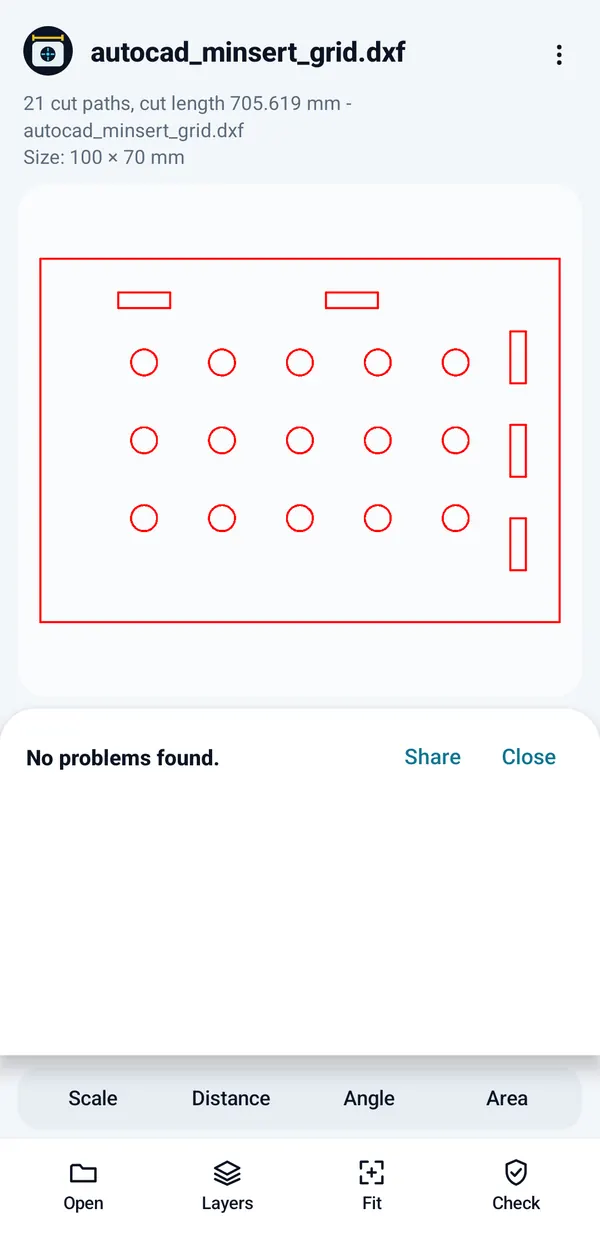
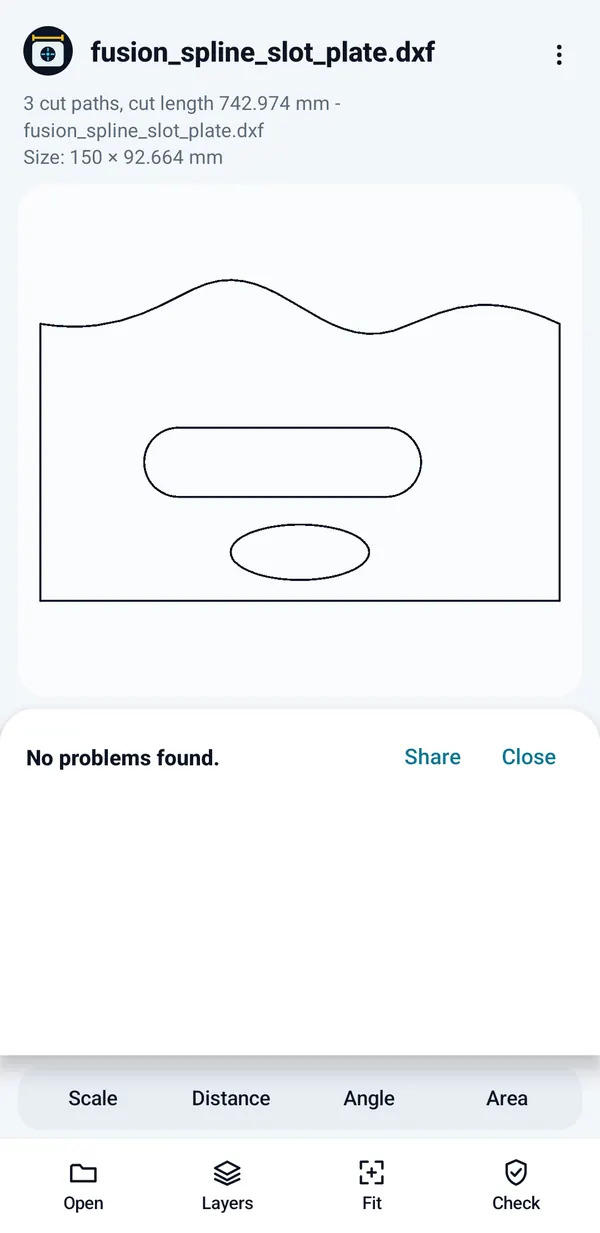
A customer sends a PDF at 7 pm. You want a number on it before they call someone else.
An open contour or a doubled line costs a sheet, or a stopped machine.
Half the questions are "how far is that hole from the edge?"
No signal on site, and the laptop is back in the van.
There are good DWG viewers, takeoff apps and browser-based cut-file checkers. We compared them with facts from their own pages.
PDF plan measuring and a DXF cut-file check in one app that works offline with no account, on Android and on iPhone, and a one-time unlock instead of a subscription.
No DWG (save as DXF), no iPad app yet, and Embadon finds problems but does not fix your file. Some other tools do those things.
Named apps, browser tools, prices and sources, as of November 2026. Read the comparison →
No subscription, no ads and no account. You buy through Google Play or the App Store, and the price is shown there in your currency.
Free download
One purchase, no subscription
Drawings are confidential. Embadon was built so it never has to be trusted with them.
Embadon opens no network connections of its own and contains no code that could. Automated build checks keep networking code out.
No sign-up, no ads, no analytics, no crash reporting. The store listings will declare "No data collected" because nothing is.
Markup is stored encrypted in the app's private storage, never inside your file and never in cloud backup. On Android it asks for no storage, location, camera or microphone permission.
This website has no cookies, no analytics and no trackers either. Read the privacy policy →
Two small drawings made for Embadon, free to use. The app has them built in too.
As accurate as the drawing and your calibration. Embadon works in the PDF's own coordinates, not screen pixels, so zooming never changes the result. Calibrate on the longest length you know and snap to the geometry wherever you can. Embadon does not detect the scale for you.
No, if the file says what units it uses. Embadon reads them and tells you so. If a file has no units, the cut-file check flags it and you set the scale yourself.
Not yet. Most CAD programs can save a copy as DXF (look for Save As or Export), which is what laser, plasma and router software usually takes anyway.
No. Embadon shows you each problem and where it is, and shares the list as text. It never changes your file. Fix it in your CAD or CAM program and check again.
A clean result means Embadon found nothing wrong in what it can read. It checks visible layers only and does not know your machine, material or kerf, and shapes it cannot draw are reported but not checked. What the check cannot see.
No. Embadon has no servers and contains no code that opens a network connection. Nothing leaves your phone unless you share a file or the findings yourself, or Google Play or the App Store handles the purchase.
It is free to download, and viewing and the two built-in samples are free. A one-time purchase unlocks measuring, the check, markup and export for your own files. See pricing.
Free to download, with a one-time unlock. Until then, the demo above runs the real sample file.